Start with the track.
Every cue in the show is built on top of it.
Then find the beat.
Every cue you place next locks to the grid.
Name what's actually happening.
Eight types, three departments, one shared list.
Bulk-fill the rhythm.
One zone, one type, done in seconds.
Then place a few by hand.
Tab drops the next one on the beat after.
Copy a bar to the next.
All three markers, one click, same beat next time.
Then fine-tune by hand.
Every marker sits exactly where you need it.
Then export the show.
A cue sheet your board can read.
The show, in time.
The same plot, in the product.
Eight marker types, a live beatgrid, every cue on the track — this is a real cueFlow show, not a mockup.
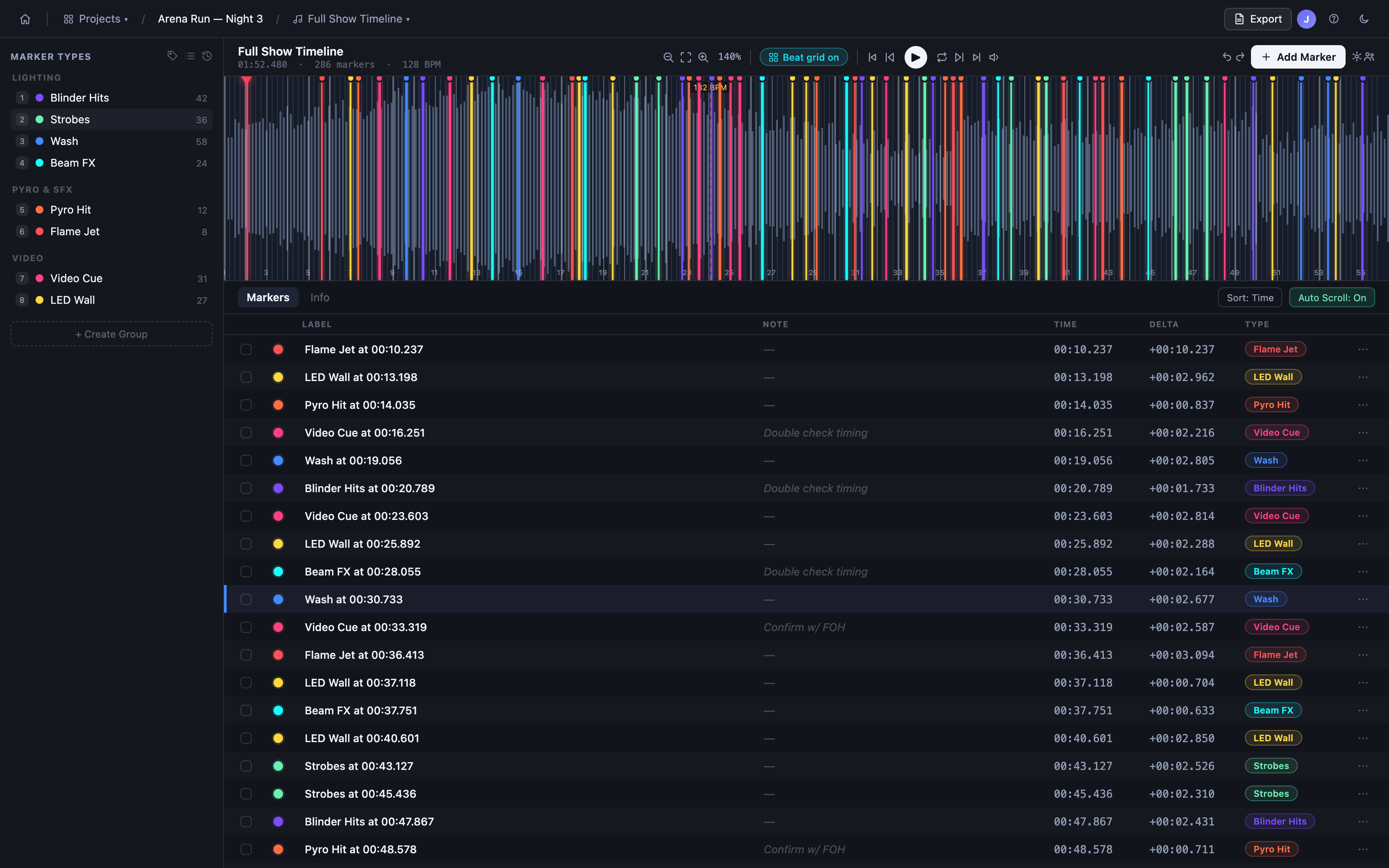
The whole show, end to end.
From the first track you import to the file you hand to FOH.
Project Management
Waveform View
Visualize and play audio tracks with interactive waveform navigation.
Beatgrid
Automatically analyze tracks to detect beats and overlay a beatgrid on the waveform for precise timing.
Beat Tools
Snap to beat or markers, select zones on the waveform, bulk-fill markers, and dock tools in the sidebar.
Markers
Add, edit, move, and delete time-based markers with durations, colors, and custom types.
Timecode (LTC & MTC)
Send and receive linear and MIDI timecode to sync playback with consoles, video, and other systems.
Tracks
Upload, crop, and manage multiple audio tracks per project.
Marker Types
Create and manage custom marker types with color and keyboard shortcuts.
Keyboard Shortcuts
Speed up navigation and editing with intuitive hotkeys.
Auto-Save & Persistence
All changes are saved instantly to the cloud. Never lose your work.
Export & Integration
Step-by-Step Export Builder
Select tracks, marker types, and export format with an intuitive interface.
Live Preview
See a live preview of the cues to be exported before downloading.
Multiple Export Formats
Download as PDF, CSV, or MA3 XML with advanced options for timecode and formatting.
REST API
Read marker data programmatically with API keys — ideal for custom integrations and live show workflows.
grandMA3 Connector
The cueFlow Connector desktop app and grandMA3 plugin push cue and marker updates to your console live, every few seconds, while you build.
Collaboration
Real-Time Collaboration
Invite editors and viewers to your projects. Everyone sees live updates as cues are built.
Mobile Viewing
View projects on mobile devices with read-only access — keep the team informed on the go.